Configure Claude Code so it knows your stack, follows your conventions, runs repeatable workflows,...
---
title: Commands vs Skills vs Agents in Claude Code — What Goes Where
published: true
date: 2026-06-05 14:19:03 UTC
tags: anthropicclaude,claudecode,claudecowork,claudeai
canonical_url:
---
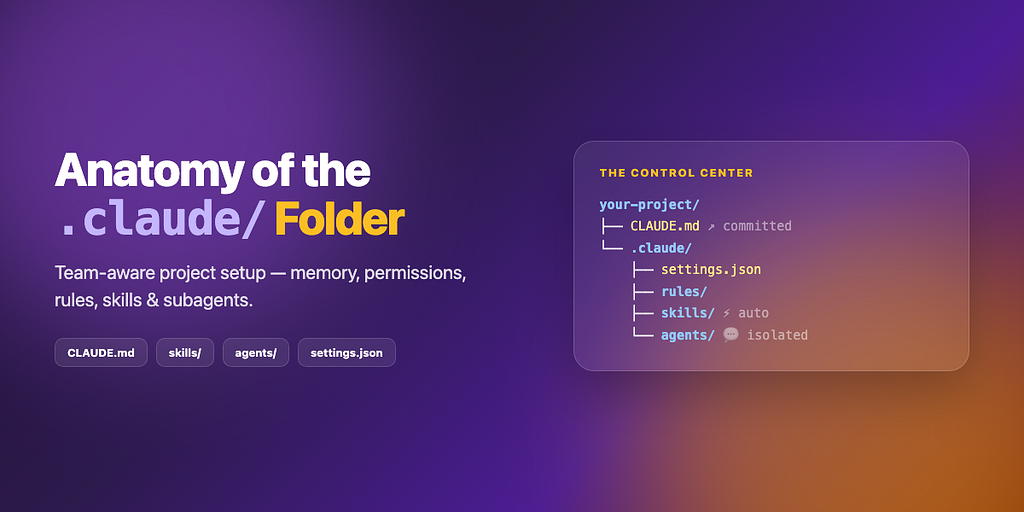
Configure Claude Code so it knows your stack, follows your conventions, runs repeatable workflows, and delegates to specialists — without repeating yourself every session.
A production-style Claude Code project layout:
1. CLAUDE.md — team instructions (committed)
2. CLAUDE.local.md — personal overrides (gitignored)
3. .claude/settings.json — permissions and environment (committed)
4. .claude/rules/ — modular instruction files
5. .claude/skills/ — slash commands and auto-invoked workflows
6. .claude/agents/ — isolated subagent personas
Everything Claude needs about your project lives in one place — commit .claude/ to git so the whole team shares it.
| Tool | Role |
|------|------|
| **Claude Code** | CLI agent with tools, memory, skills, subagents |
| **`CLAUDE.md`** | Project memory loaded at session start |
| **`.claude/settings.json`** | Permissions, hooks, env vars |
| **Skills** | Reusable prompts — manual `/name` or automatic |
| **Agents** | Focused sub-sessions with their own tools |
| **Rules** | Path-scoped or global instruction modules |
| Layer | Always on? | Trigger |
|-------|------------|---------|
| `CLAUDE.md` + `rules/` | Yes — every session | Automatic |
| `settings.json` | Yes — gates tool use | Automatic |
| Skills | On demand or auto | `/project:name` or model decides |
| Agents | On demand | User delegates or Claude spawns |
| Hooks | Yes — around tool calls | `settings.json` → `hooks` |
1. Developer runs claude in a configured repo
2. Memory + rules + permissions load automatically
3. Skills and agents handle specialized work on demand
4. Team shares the same .claude/ tree via git
| Requirement | Check |
|-------------|--------|
| Claude Code installed | `claude --version` |
| A git repository | `git status` |
| Terminal access to your project | — |
Install Claude Code: [code.claude.com](https://code.claude.com/docs/en/overview).
#### Project root
your-project/
├── CLAUDE.md # Team instructions (committed)
├── CLAUDE.local.md # Personal overrides (gitignored)
└── .claude/
    ├── settings.json # Permissions + config (committed)
    ├── settings.local.json # Personal permissions (gitignored)
    ├── rules/ # Modular instruction files
    ├── skills/ # Workflows with SKILL.md
    ├── commands/ # Legacy single-file skills (optional)
    └── agents/ # Subagent definitions
#### Global home directory
Claude also reads ~/.claude/ (all projects):
~/.claude/
├── CLAUDE.md # Your global defaults
├── settings.json # Global permissions
├── skills/
├── age